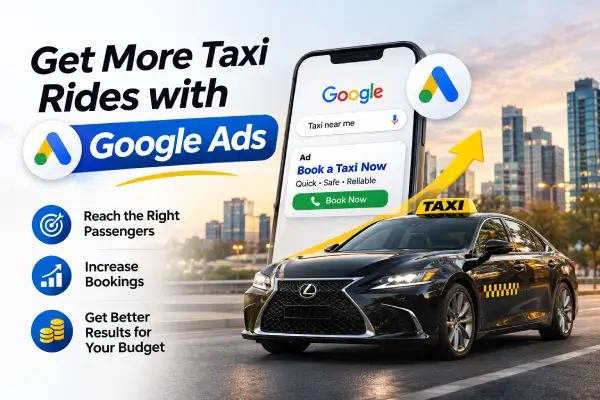
A taxi ad can get plenty of clicks and still leave the phone quiet. The problem is usually not that Google Ads “doesn’t work.” It’s that the campaign is reaching people who are too far away, searching for something else, or landing on a page that makes booking harder than it needs to be.
For a taxi business, every click should have a clear chance of becoming a ride. That means focusing on local, high-intent searches, tracking real enquiries, and checking where the budget goes. Here’s how to build a Google Ads campaign for taxi services that is useful to passengers and easier on your wallet. Gemini Geeks Technologies also offers digital marketing and Google Ads services.
Before choosing keywords, decide which bookings matter most. Are you trying to fill airport transfers, win regular local trips, get more outstation journeys, or promote corporate travel? A person searching “taxi to the airport” has a different need from someone looking for a cab across town. Put each service in its own campaign or tightly focused ad group so the message and destination can match.
Think about your actual service area, too. List the towns, neighbourhoods, airports, and routes you reliably cover. If you don’t serve a location at certain hours, don’t advertise there then. A smaller area with dependable coverage is usually more useful than a broad map full of expensive, unbookable clicks.
People ready to hire often search with a place, destination, or service included: “airport taxi in [city],” “cab to [airport],” “local taxi near me,” or “outstation cab from [city].” These specific searches may attract fewer visits than broad phrases, but they make it easier to reach people who need a ride now.
Start with a focused set of relevant terms and review the actual search terms that triggered your ads. Broad terms such as “car,” “taxi jobs,” or “taxi fare” may pull in people looking for a vehicle, employment, price information, or a fare calculator rather than a booking. Add irrelevant searches as negative keywords so your campaign can stop paying for them.
Set location targeting around where your drivers can actually pick up passengers. Then check the location report to see where clicks and bookings come from. Google’s location settings can include people who show interest in a place, depending on the option selected, so review the setting and choose the option that best fits a local taxi service.
Use call and booking data to identify useful time windows, then adjust your schedule. Don’t automatically turn ads off overnight if you genuinely accept late-night bookings—but make sure someone can answer the phone or online booking requests.
A good taxi ad quickly tells people where you operate, what rides you offer, and how to book. Mention useful details such as airport transfers, 24/7 availability (only if it’s true), advance booking, fixed fares (if available), or licensed drivers. Avoid vague promises like “best taxi ever.” A specific, believable benefit is more persuasive.
Use the ad’s extra links and call features to make the next step simple. A call asset can help mobile users phone directly; sitelinks can point to airport transfers, outstation trips, fare information, or contact details. Keep phone numbers, hours, and service claims consistent across your ads and website.
Many taxi searches happen on a phone, often when someone is already making travel plans. If an ad sends them to a slow homepage with no obvious booking button, they may leave before they find what they need.
Create a landing page for the service in the ad. Show the pickup area, destinations or routes, booking phone number, expected next step, and a clear “Call Now” or booking form near the top. Keep forms short: ask only for details needed to arrange the ride, such as pickup, destination, time, and contact information. Check that the number is tappable and that the page works on a small screen.
Clicks and impressions show activity, not whether the campaign earns business. Track calls from ads, booking-form submissions, and completed reservations where you can. If possible, distinguish a meaningful call from a brief accidental tap, and connect online enquiries to actual rides. That gives you a more honest picture of which campaign, keyword, or time period brings paying passengers.
Set up conversion tracking before increasing your budget. Check that it records the right actions and does not count every page view as a booking. If you only track clicks, the campaign may appear successful while your dispatch team sees no change. Ask whoever answers the phone to note where callers found you and whether they booked. Even a simple weekly tally can uncover a mismatch between online reports and real rides.
There’s no single daily budget that suits every taxi operator. Start with an amount you can afford to test, based on the areas and services you want to promote. Keep the first campaign focused, then give it enough time and traffic to reveal patterns. Avoid making big changes every day; frequent edits can make it difficult to understand what helped. If the budget is modest, prioritise one profitable route or booking type instead of spreading it across every service you offer. You can expand once you know what converts.
Check cost per qualified enquiry alongside the number of completed rides. A campaign with fewer clicks may be the better choice if those clicks turn into profitable bookings. Consider the value of each trip, driver availability, and repeat customers when deciding what a lead is worth. If a route is busy but unprofitable, more bookings may not solve the problem.
Set aside time to check search terms, location performance, ad schedules, calls, and booking outcomes. Pause keywords that repeatedly spend without bringing relevant enquiries. Add new negative keywords when you spot patterns. Keep strong ads running, and test one meaningful change at a time—perhaps a clearer airport-transfer message or a more direct booking page.
Google Ads can help a taxi business appear when nearby customers need a ride, but it works best when the whole booking journey is connected. Target the routes you serve, write ads that answer real passenger questions, make booking simple, and measure what happens after the click. That steady approach helps you get more useful enquiries without letting the budget disappear into searches that were never going to become rides. If you want help planning or managing a campaign, visit Gemini Geeks Technologies to learn more about its digital marketing services.
Call Us Now on +91 9041001555 or send us an email to admin@thegeminigeeks.com to discuss your project